
Loop How to Stun Smilers
Turn Loop’s smile threat into a manageable Alpha encounter with light discipline.
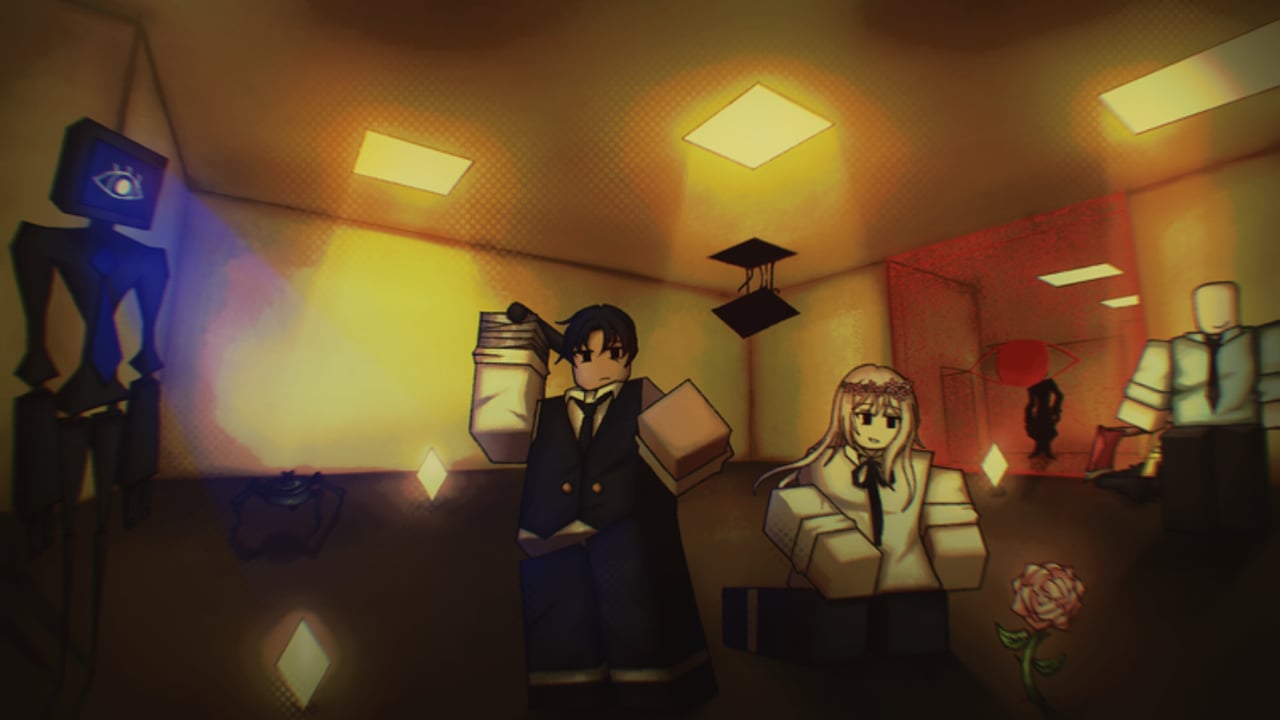
Smilers are the grin in the dark that defines so many liminal horror spaces — and in Loop on Roblox they are confirmed threats you can stun, not merely flee forever. This guide focuses on flashlight usage, stun timing mindset, co-op light roles, and the Too Many Smiles badge pressure without inventing undocumented mechanics. Loop remains Alpha / early access since 2026-08-21 (Gazing at the Moon / Runaaruu), so animation lengths and stun windows can be tuned; the habits below stay valuable across patches.
New to the place? Read Getting Started and Controls so movement and graphics already favor readable silhouettes.
What we know about Smilers
- They are a confirmed entity type in Loop.
- They can be stunned — light is your primary counter-tool discussed here.
- They punish tunnel vision during missions and EXIT approaches.
- They are not the only lethal actor: MineSpider explodes, Standing Man kills from idle postures, and anomalies like PopUp.exe can Blue Screen a run if failed.
Keep Smilers in a threat portfolio. Over-focusing on smiles while ignoring a MineSpider under your squad is a classic co-op story.
Flashlight fundamentals
You can hold two Flashlights. That rule matters more than any secret keybind:
- One light on the threat, one light on the path — solo players swap focus; duos assign roles.
- Buy or find light early unless you are on a Pure Skill no-purchase run (Day Progression).
- Do not pocket both lights unused while sprinting dark halls “to save battery” if the Alpha does not require that economy — unlit corners create Smiler ambushes.
- Keep beams off teammates’ faces on mobile screens where bloom hides prompts.
Graphics settings should preserve beam edges. Washed-out bloom makes stun aiming guesswork; tune that on the controls guide.
Stun technique (practical loop)
Use this cycle until it becomes muscle memory:
- Detect — audio cue, silhouette, or teammate call.
- Square up — stop panic spinning; plant camera on the grin.
- Light — bring the flashlight to bear deliberately.
- Confirm stun — watch for the stun reaction; do not assume a glancing flicker worked.
- Create space — move to a clearer tile, finish a mission interact, or rotate to the next threat.
- Re-evaluate — Smiler handled does not mean Standing Man behind you is safe.
If the stun fails, break line into a prepared fallback room rather than reverse-sprinting through unknown dark. Mission literacy helps you know which doors are dead ends (Missions and Collections).
Solo vs co-op Smiler control
Solo
- Practice strafing while keeping the beam steady.
- Take wider routes that give reaction time.
- Prefer completing objectives in semi-lit spaces when smiles are active.
- Remember Pure Skill runs deny shop flashlights — learn default light options before attempting Day 20 no-buys.
Co-op (up to 30)
- Call “Smiler left / right / on me” with directions, not only screams.
- Assign a light player when a mission interact locks someone in place.
- Never stack the entire lobby on one stunned Smiler if a MineSpider can punish the clump.
- Share spare flashlights; two lights on one player while three allies run dark is poor economy.
Public lobbies are noisy. Private practice servers teach stun timing faster, then you bring the skill back to public Days.
Too Many Smiles badge
Too Many Smiles rewards players who lean into Smiler-heavy pressure rather than avoiding every grin forever. Exact counter requirements can shift in Alpha, so chase it by:
- Seeking encounters you can safely stun rather than soft-locking in one safe closet
- Improving flashlight uptime across a full Day
- Playing with teammates who will not steal your light economy mid-fight
- Tracking patch notes on Updates if badge text changes
Do not confuse Too Many Smiles with EXIT, Day 5/10/25/50, Pure Skill, or Pocket Full — those are separate progression stories on Day Progression and How to EXIT.
Common Smiler mistakes
- Shooting the beam past the entity while staring at the ground sprint path
- Ignoring graphics so the smile blends into compression artifacts
- Celebrating a stun in place until another entity arrives
- Opening PopUp.exe mid-chase and Blue Screening because you multitasked poorly
- Assuming codes give anti-Smiler perks — no promo codes documented (Codes Hub)
Integration with EXIT and late Days
Smilers love last-mile greed. Players die on the walk to EXIT more often than on the prompt itself. Before an escape commit:
- Light the approach.
- Stun or bypass known smiles.
- Check for Standing Man idle frames in the doorway.
- Then interact (How to EXIT).
On Day 25–50 pushes, fatigue makes stun whiffs common. Schedule breaks; Alpha badges are not worth eye strain — especially with flashing anomaly UI elsewhere in the game.
Practice drill (5–10 minutes)
- Join a low-pop server with dual flashlights if available.
- Find a single Smiler encounter without mission timers stressing you.
- Stun, create space, re-engage, stun again.
- Repeat until the camera snap is boring.
- Add a mission prop interact immediately after a stun to simulate real pressure.
Then return to normal progression via the Guides Hub.
Related threats checklist
After Smilers feel fair, refresh the rest of the cast:
- MineSpider — space and respect explosions
- Standing Man — idle ≠ harmless
- PopUp.exe — fail state can Blue Screen
Entity pages may expand under Players as the Alpha roster documentation grows.
Summary
Stunning Smilers is a flashlight skill wrapped in positioning discipline. Hold up to two lights, aim with intent, confirm the stun, and never forget the other killers sharing the loop. Master that loop and Too Many Smiles becomes a hunt instead of a horror story — while ordinary Days simply get quieter, one grin at a time.
Frequently Asked Questions
Quick answers to the most common questions.
Can you stun Smilers in Loop?
Yes. Smilers are confirmed stunnable threats. Flashlight control is the core counter taught on this page.
How many flashlights can I hold?
You can hold two flashlights. Use them to cover both the threat and your movement path, or split lights across co-op roles.
What is the Too Many Smiles badge?
A Smiler-focused badge for players who engage smile pressure rather than only fleeing. Track exact requirements in-game as Alpha text can change.
Are Smilers the only entity that can end a run?
No. MineSpiders explode, Standing Man is deadly while idle, and failing PopUp.exe can Blue Screen your run. Keep full threat awareness.